Process List
Use Process List to inspect active MySQL connections and running queries reported for the selected server. For PostgreSQL servers, the same view is called Activity; see Activity for PostgreSQL. This centralized Dashboard view lets you investigate database activity without opening an SSH session just to view the process list.
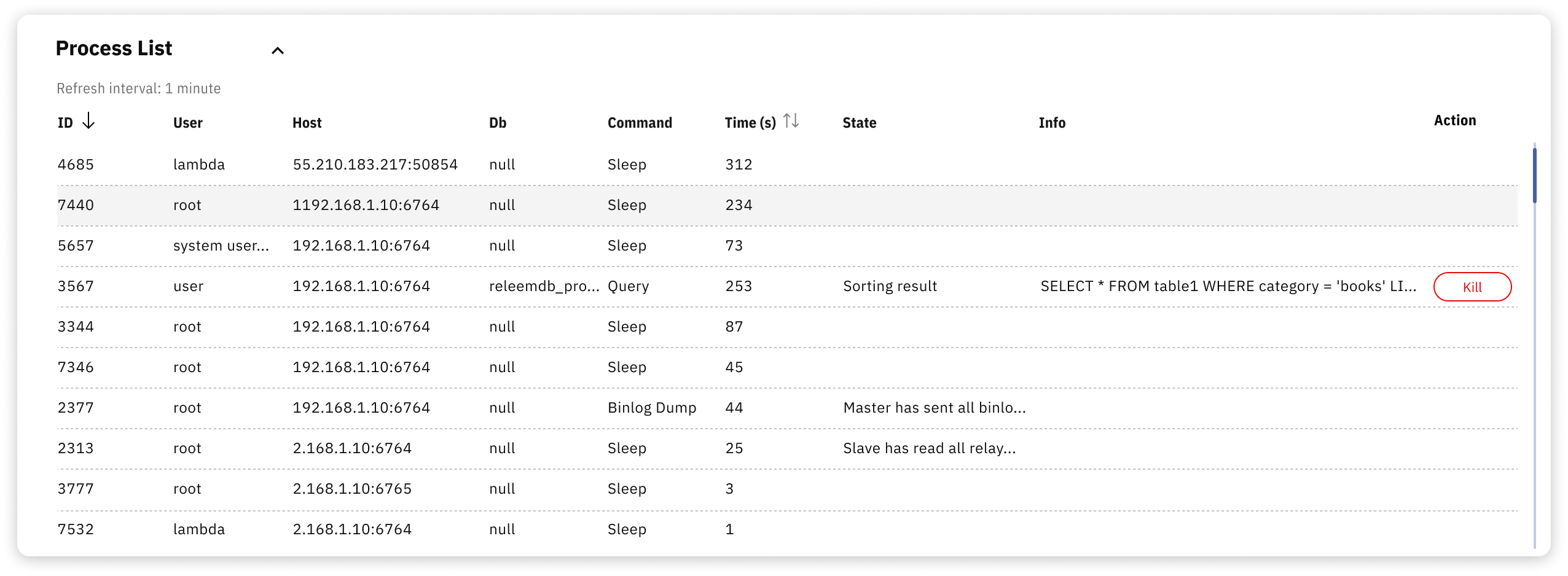
The Process List can help you investigate:
- Identify long-running queries – Find queries that consume excessive time or resources, then review their workload context
- Detect stuck processes – Review connections that may be stuck before deciding whether termination is appropriate
- Troubleshoot bottlenecks – Inspect table locks and query contention as evidence of a possible bottleneck
- Track connection activity – Observe which applications and users are connected
The Process List shows activity to investigate; it does not by itself prove the cause of a database problem or determine whether a connection should be terminated. Confirm the workload context and application impact before you terminate a connection or change the database.
For detailed information, refer to the Show MySQL Process List article.
Activity for PostgreSQL
For PostgreSQL servers, the Activity tab displays active sessions from pg_stat_activity with these columns:
| Column | Description |
|---|---|
| PID | Process ID of the server process that serves the session. |
| User | Database user of the session. |
| Host | Client address and port, or local for a Unix socket connection. |
| Db | Database the session is connected to. |
| Backend Type | Type of server process, such as client backend. |
| Query Time | Time in seconds since the current or last query started. |
| State | Session state, such as active, idle, or idle in transaction. |
| Query | Text of the current or last query of the session. |
PostgreSQL keeps up to track_activity_query_size bytes of query text per session; the default is 1024. To display longer queries in full, set track_activity_query_size to 4096 or more and restart PostgreSQL. See PostgreSQL settings for query data and the Activity troubleshooting steps.