Recommendations
Use Recommendations to review actions that Releem proposes from observed database data. A Dashboard check or metric describes current state; a recommendation presents a proposed action. Review the evidence, affected scope, application method, and rollback guidance before you make a production change.
Start with Configuration Tuning for server configuration or Query Optimization for query and index proposals. Open the Dashboard to inspect the observations behind a recommendation.
Query Optimization
Query Optimization analyzes production query execution data and recommends changes for queries with a high performance impact. It supports two workflows:
- Weekly analysis: Releem reviews the 100 most frequent queries and the 100 slowest queries.
- On-demand analysis: You select a query in Query Analytics and request a recommendation.
Releem considers execution statistics, access patterns, and existing indexes. A recommendation can address query logic, indexes, schema, or a related server configuration constraint. Releem presents the proposed change for review; it does not apply the change automatically.
After you apply a recommendation manually, Releem continues observing the query so you can compare its execution time, frequency, and overall impact. See Query Optimization for the complete workflow.
Recommended Configuration
The Recommended Configuration block shows the current Configuration Tuning state for your MySQL server. It lets you open the proposed settings and see whether a recommendation still needs review or application.
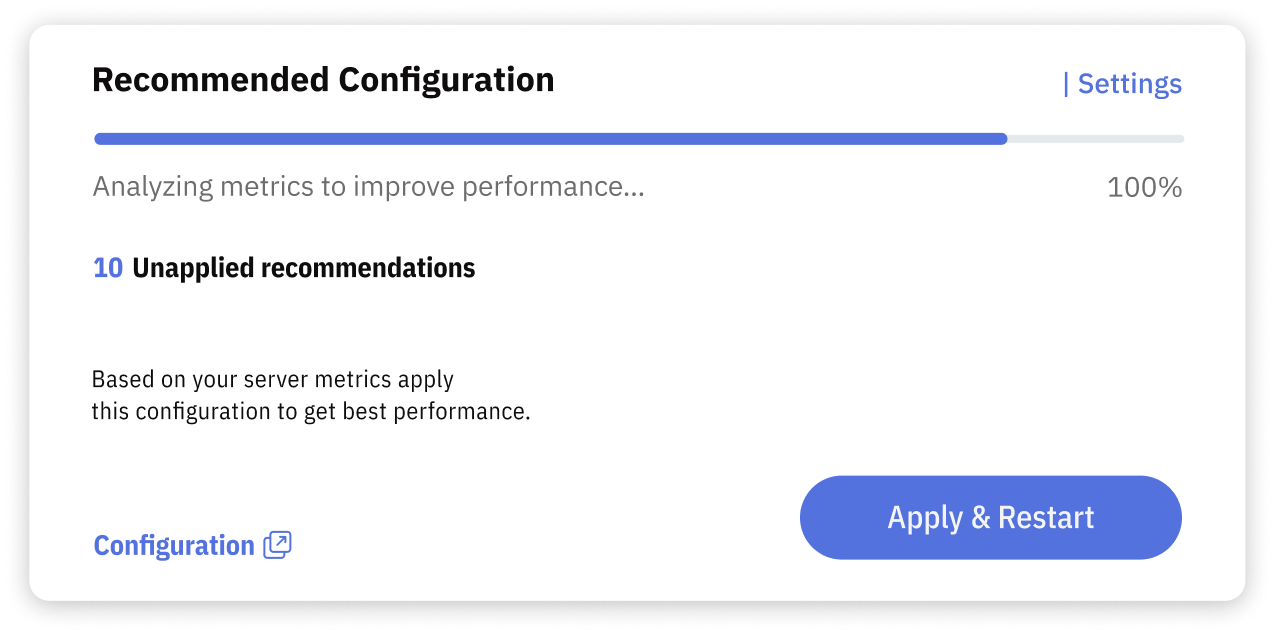
The block includes:
- Progress bar: Shows Searching Opportunities or Preparing Configuration while Releem evaluates observed data and prepares a proposal.
- Unapplied recommendations count: Shows how many proposed configuration changes have not been applied.
- Recommended Configuration: Opens the complete proposed configuration.
- Apply: Opens the application options available for this server and environment.
Read Configuration Tuning to understand the workflow. When a recommendation is ready, choose how to apply it. Some settings require a database restart before they become effective. Confirm the effective settings, database and application health, and current metrics after any application attempt. If you need to restore a previous configuration, review the documented Rollback method and its limitations first.
The time needed to prepare a recommendation depends on the data available for the server. The block state tells you whether Releem is still evaluating data or has prepared a configuration; it does not by itself confirm that submitted settings are active.