Troubleshoot the Releem Agent
Use this guide when the Releem Agent is disconnected or the Dashboard does not show current data. First confirm the Dashboard state, then check the service and its logs.
On the Releem Score block, Agent Status: Connected indicates that the Agent has connected to Releem. Also confirm that the Dashboard shows a current data timestamp or recently updated metrics; a connection alone does not confirm current collection.
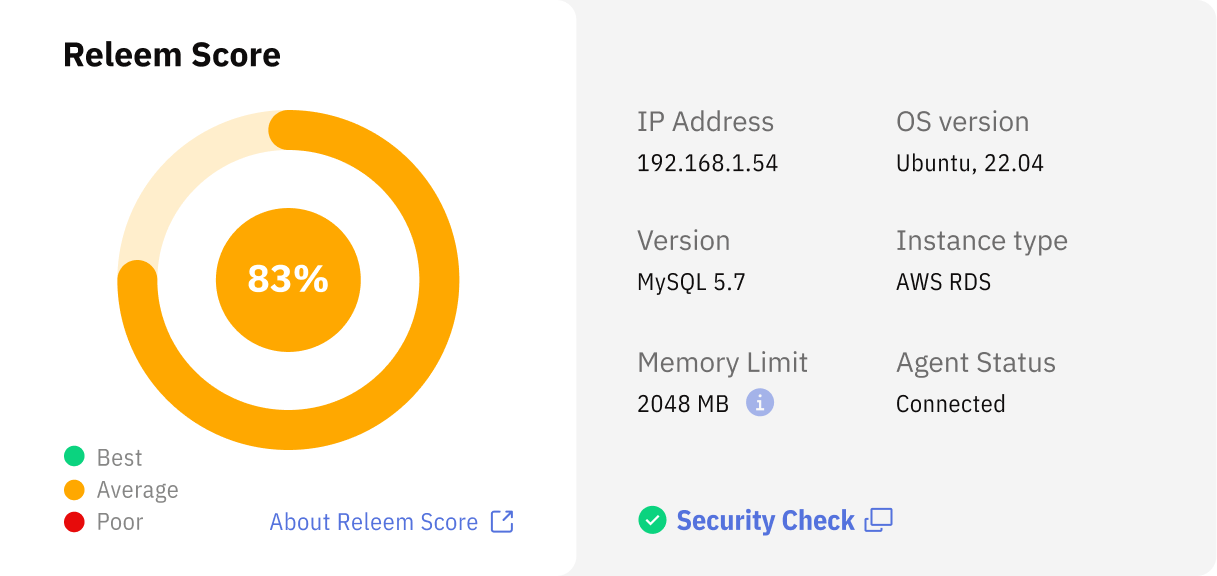
How to troubleshoot Releem Agent
If the Releem Agent is disconnected, check the service status first.
To check Releem Agent status, please run:
systemctl status releem-agent
If the Releem Agent is not running, start it:
systemctl start releem-agent
If the Releem Agent is running but the Dashboard reports it as disconnected, check the Agent logs.
Releem Agent Common Issues
CloudLinux
If CageFS is enabled, add the Releem MySQL configuration directory to CageFS and force an update:
echo '[releem-directory]' > /etc/cagefs/conf.d/releem.cfg
echo 'comment=Releem MySQL Directory' >> /etc/cagefs/conf.d/releem.cfg
echo 'paths=/etc/mysql/releem.conf.d' >> /etc/cagefs/conf.d/releem.cfg
cagefsctl --force-update
In the MySQL log file: [Warning] Aborted connection 181 to db: 'mysql' user: 'releem' host: 'localhost' (Got timeout reading communication packets)
CloudLinux MySQLGovernor blocks MySQL "releem" user. Please exclude "releem" user from MySQLGovernor.
cPanel/WHM
Open WHM > Plugins > Releem Database Advisor and check the Agent service status. If it is stopped, inspect /var/log/releem/whm-install.log, start releem-agent, and confirm that cPanel database auto-adjust is disabled. Use the MySQL WHM/cPanel guide to reinstall or remove the module.
AWS RDS
Troubleshoot MySQL on AWS RDS and Aurora MySQL, MariaDB on AWS RDS, or PostgreSQL on AWS RDS and Aurora PostgreSQL.
AWS credentials for Docker on EC2
When the Agent runs in Docker on EC2, it gets AWS credentials from the EC2 instance profile through the instance metadata service (IMDS). If the instance requires IMDSv2 and its metadata response hop limit is 1, the token response does not reach a container on Docker's default bridge network. The Agent then cannot call CloudWatch or RDS, even though the IAM role is attached. Use one of these options:
-
Raise the hop limit to
2. This keeps the container on the bridge network. Replace the instance ID and run the command with AWS credentials that can modify the instance's metadata options, or change Instance metadata options in the EC2 console:aws ec2 modify-instance-metadata-options --instance-id [EC2_INSTANCE_ID] --http-endpoint enabled --http-put-response-hop-limit 2 -
Use host networking. Start the container with
--network host, or setnetwork_mode: hostfor the Compose service. The container then reaches IMDS without the extra network hop. It also shares the host's network interfaces, so use this only when that is acceptable on the EC2 instance.
Do not put static AWS access keys in the Docker command or Compose file. See AWS's instructions for configuring instance metadata options. After the change, restart the Agent container and confirm that the Dashboard shows current system metrics from CloudWatch.
Releem Agent Installation Errors
Failed to determine service to restart. The automatic applying configuration will not work.
The root cause: Agent couldn't determine the database service restart command.
How to fix: Set the following option in the /opt/releem/releem.conf: mysql_restart_service="command to restart MySQL” and restart the Releem Agent with the following command: systemctl restart releem-agent
Failed to determine file my.cnf in default path. The automatic applying configuration is disabled.
The root cause: not a standard Mysql installation.
How to fix: Reinstall the agent by adding the RELEEM_MYSQL_MY_CNF_PATH variable with the correct path to the my.cnf file
No parameter specified in AwsRDSParameterGroup agent settings. The automatic applying configuration is disabled.
The root cause: The CloudFormation stack for the agent has not been updated and/or the ParameterGroup has not been configured for automatic application.
How to fix: update the CloudFormation stack and set DBParameterGroup parameter to newly created Parameter group. You can specify “dummy” in the DBParameterGroup parameter if you do not plan to use automatic configuration applying.
Error creating agent catalog for configurations
The root cause: Incorrect installation
How to fix: Reinstall the Releem Agent
Latency is not calculated
The root cause: The Performance Schema is not enabled for manual installation or restart is not performed for automatic installation.
How to fix: Run /opt/releem/mysqlconfigurer.sh -p command and agree to the database service restart.
How to fix for AWS RDS: Check CloudWatch Database Insights (formerly Performance Insights) and verify that Performance Schema is active for your RDS instance. Use the MySQL or MariaDB RDS guide for the parameter-group and reboot checks.
How to fix for GCP Cloud SQL: Enable Performance Schema for your Cloud SQL instance.
What to do next
After the Agent reconnects, verify the connection and current data. Then use the Dashboard to review checks and metrics.