Connect Your Database Server
Install the Releem Agent to connect your database server. Choose the exact database and deployment path below instead of copying installation commands from this overview.
- Register for an account if you do not already have one.
- Sign in to the Releem Dashboard.
- Select Add Server.
- Choose the database and deployment that match your server.
- Follow the linked installation guide.
If Add Server provides a command for your selected database and environment, use that command. Otherwise, use the one-command example in the matching installation guide and replace its placeholders. Do not combine parameters from different database options.
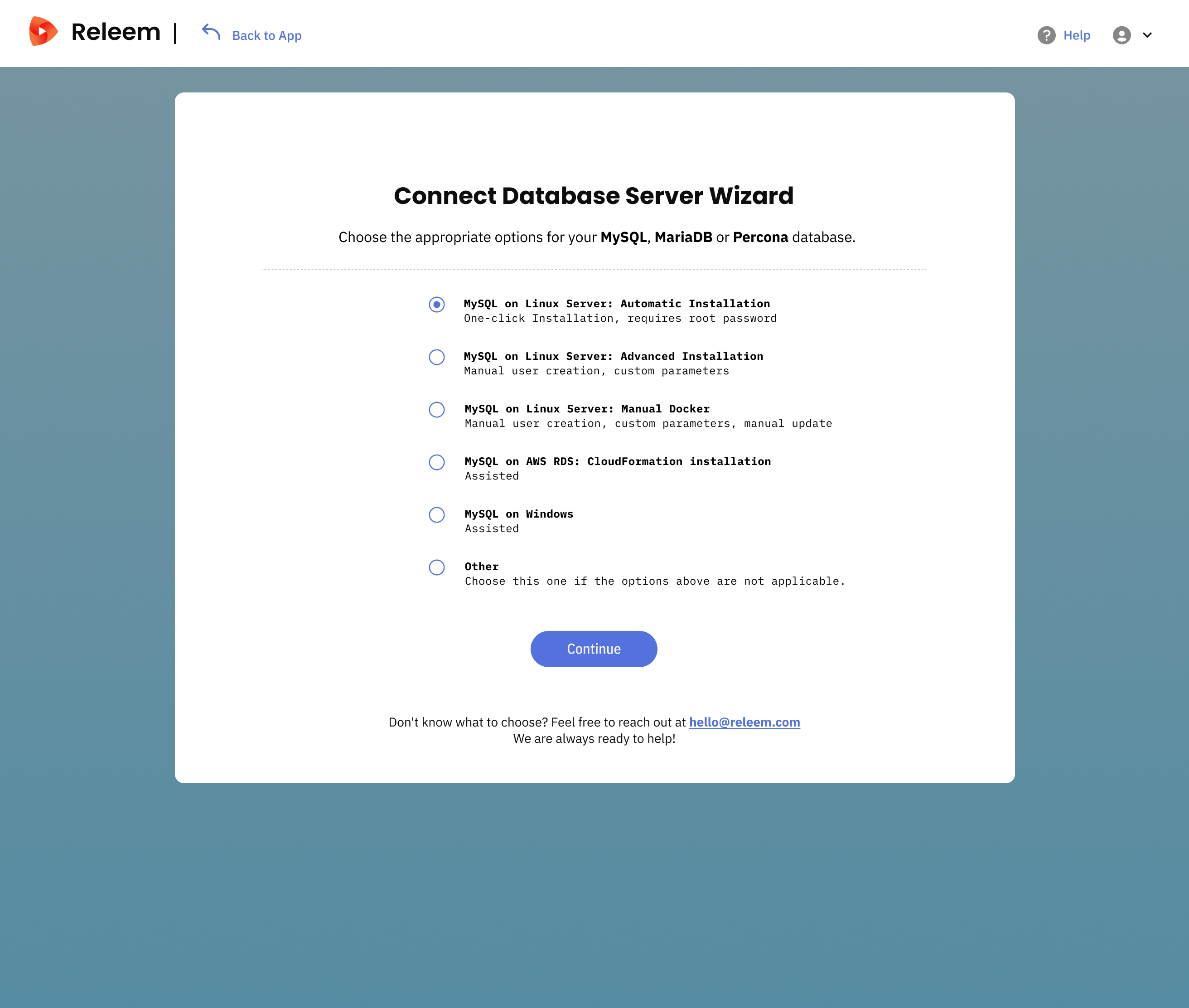
Choose the type of database server you are adding:
- MySQL on Linux: Automatic installation – Create the database user during installation.
- MySQL on Linux: Manual installation – Use an existing monitoring account.
- MariaDB on Linux: Automatic installation – Create the database user during installation.
- MariaDB on Linux: Manual installation – Use an existing monitoring account.
- PostgreSQL on Linux: Automatic installation – Create the database user during installation.
- PostgreSQL on Linux: Manual installation – Use an existing monitoring account.
- MySQL on WHM/cPanel
- MySQL in Kubernetes
- MySQL in Docker
- MariaDB in Docker
- PostgreSQL in Docker
- MySQL on Windows
- MariaDB on Windows
- MySQL on AWS RDS and Aurora MySQL
- MariaDB on AWS RDS
- PostgreSQL on AWS RDS and Aurora PostgreSQL
- MySQL on GCP Cloud SQL
- Azure Database for MySQL
- MariaDB in Kubernetes
- MariaDB on WHM/cPanel
- MySQL clusters or MariaDB clusters – Install one Agent for each database node.
Select the option that matches your setup to get the correct installation instructions.
Verify the connection and current data
After installation, verify each stage separately:
- Agent Status: Connected confirms that the Releem Agent has connected to the platform.
- A current data timestamp or recently updated metrics confirms that current database data has arrived.
If the Agent is disconnected or current data does not appear, use Troubleshoot the Releem Agent. If you still need help, open chat in the Releem Dashboard. Open the Dashboard to review observed state and Recommendations to review proposed actions.