Invite users and assign roles
Invite teammates, consultants, or freelancers to a server's shared dashboard, then assign a role. Each invitation gives access to one specific server.
Invite a user to a server
-
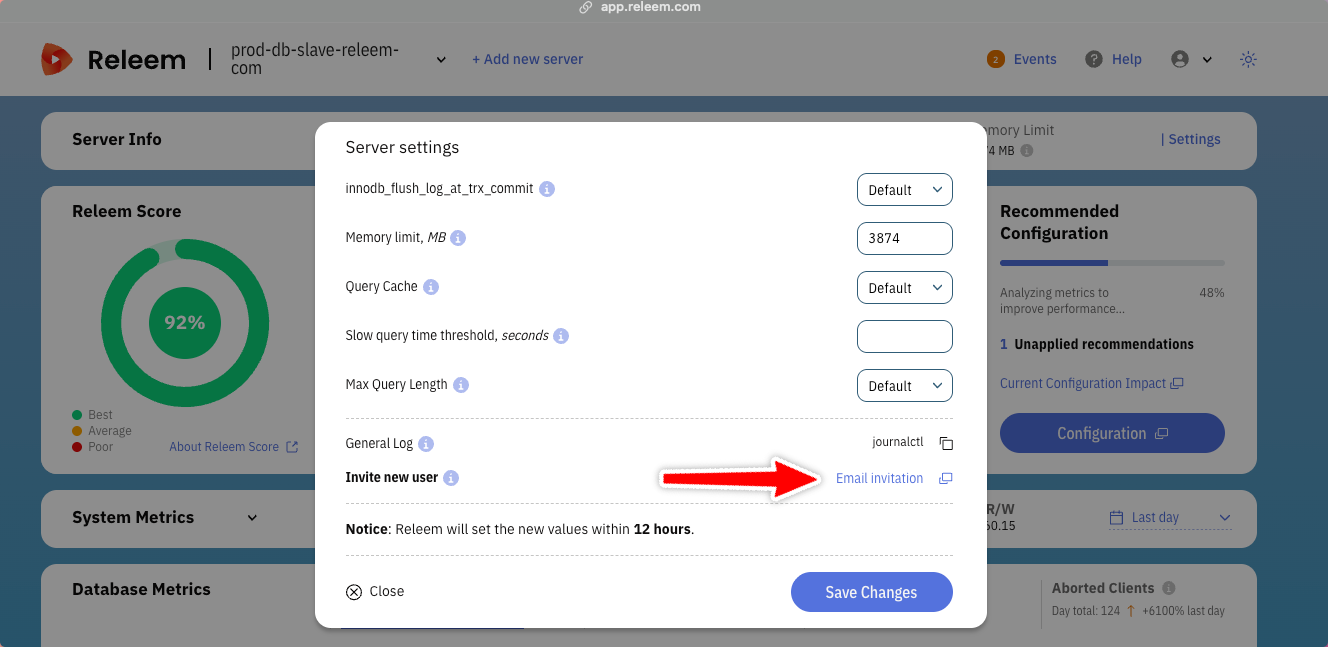
Open the settings for the database server.
-
Select Email invitation.
-
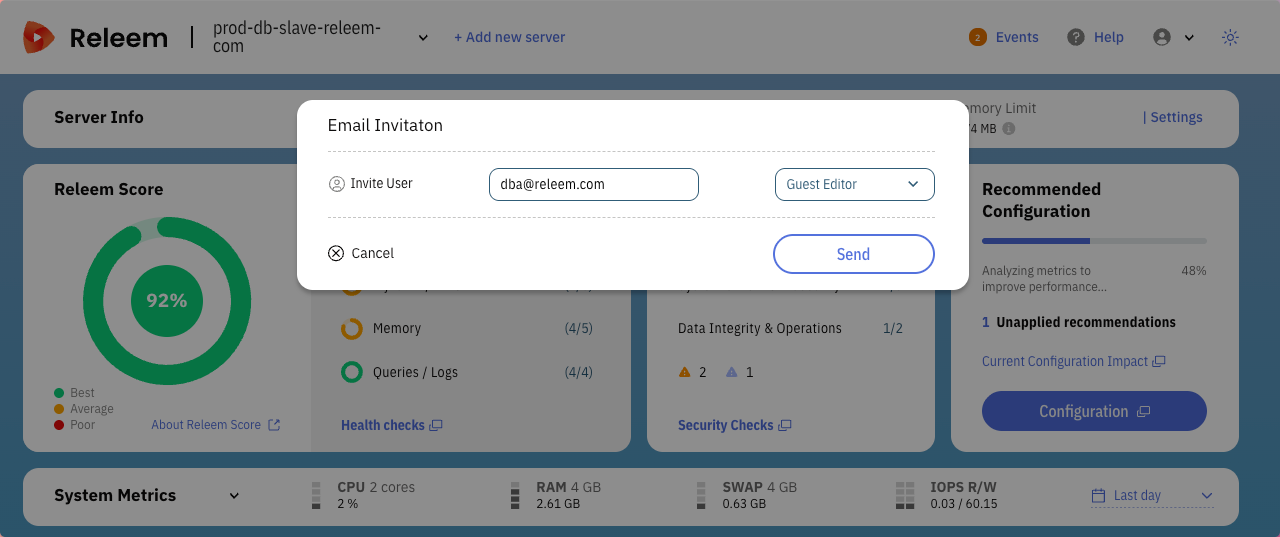
Enter the person's email address.
If the person is new to Releem, Releem automatically creates an account.
-
Assign a role to the invited user:
- Viewer - Has read-only access to the Dashboard and insights.
- Editor - Can change settings and apply recommendations.
-
Select Send.
-
Releem sends an email to the invited person.
-
The invited person accepts the invitation.
-
A new user sets a password.
Change a user's role
- Open the settings for the server.
- Choose a new role for the user.
The user now has the new role.
Remove a user from a server
- Open the settings for the server.
- Select the red cross next to the user's email address.