Invite users and assign roles
You can invite users to shared dashboards per server and give them access to specific servers. This is useful when working with consultants, freelancers and team mates. Here's how to invite users.
Inviting users to individual servers
- Go into the server settings of the database server you'd like to invite users to
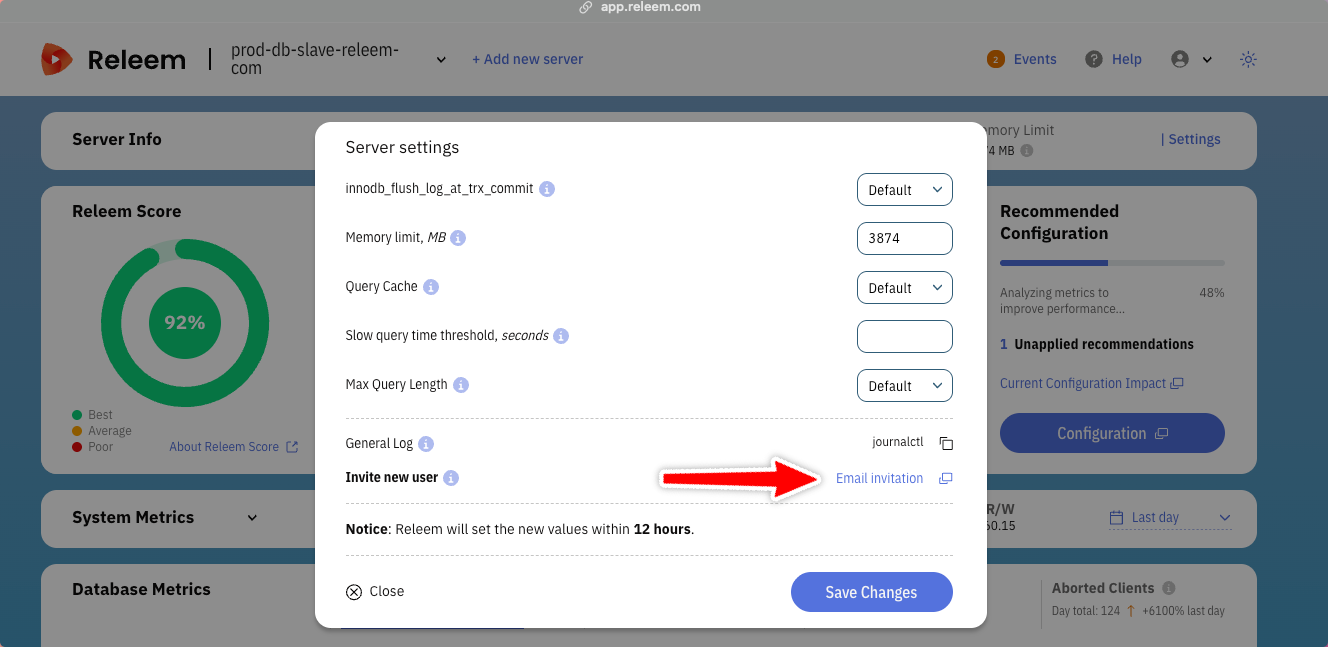
- Click on the "Email invitation" link
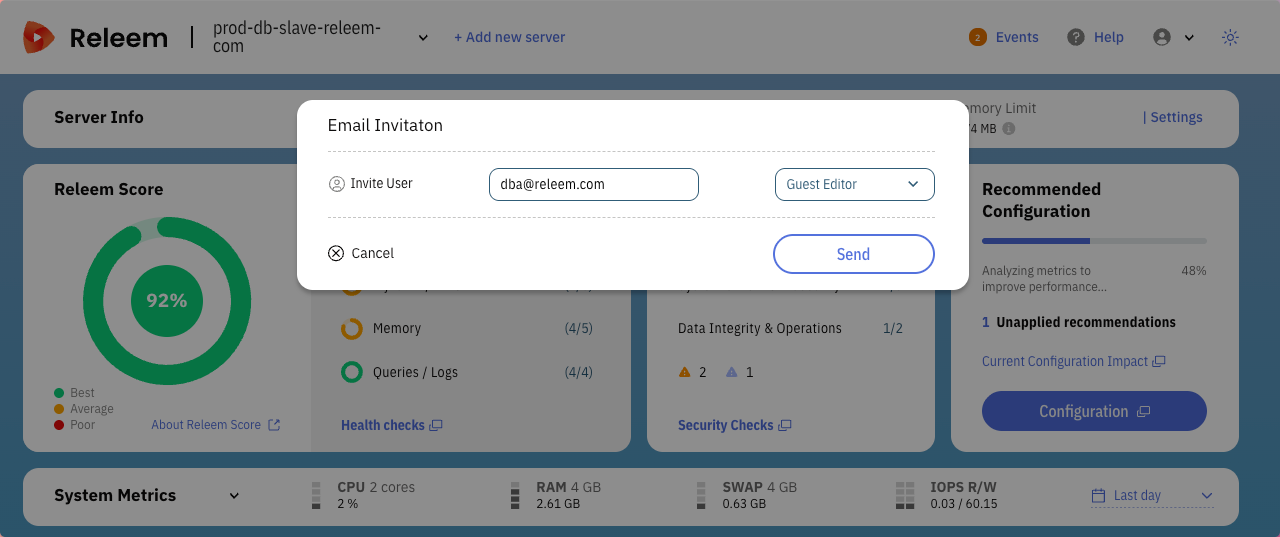
- Enter the email address of the person you'd like to invite. If you invite a new person to Releem, account will be created automatically
- Assign the role for the invited user. You can choose between two different roles:
- Viewer – Read-only access to dashboard and insights
- Editor – Can change settings and apply recommendations
- Click on the "Send" button. We will email the invited person to notify them about your invitation. They will need to accept the invitation. New users will need to set up a password.
Adjusting the guest roles
- Go to settings
- Choose a new role for the user
- That's it. The user now has a different role.
Removing a user from a server
- Go to settings
- Click red cross next to user email