Limit Memory for MySQL
If your server has not only MySQL installed, but also other software like a web server, it is important to limit the memory allocated for MySQL using the memory_limit option in Releem Agent configuration. This option will inform Releem Platform to limit memory for MySQL and helps ensure that MySQL does not consume excessive resources and affect the performance of other applications on the server.
To set the memory limit follow the steps below:
- Open the Dashboard->Recommended Configuration->Settings
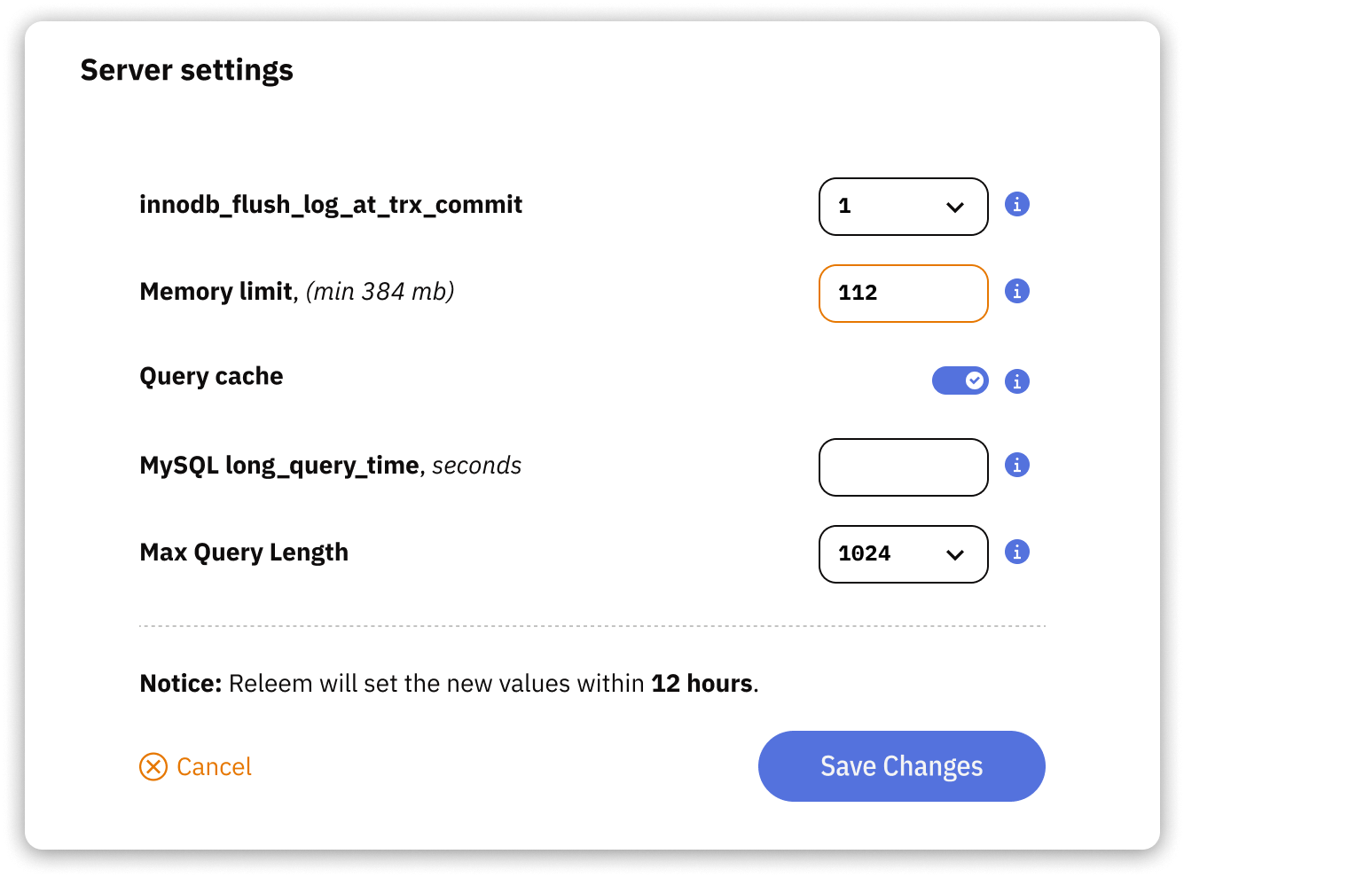
- Set new Memory Limit in Megabytes
- Click Save Changes button
It takes up to 12 hours to update limit in the dashboard and up to 4 days to get first recommendations.
FAQ
I’ve set the MySQL Memory Limit to 6144 MB, but MySQL is using about 11 GB of 16 GB RAM (≈67%). Shouldn’t it be capped at 40%?
The Memory Limit isn’t a hard cap - it’s a target for tuning. Releem adjusts MySQL settings to keep memory usage near this value under normal load, but actual usage depends on active connections and per-query buffers. When many queries run, MySQL can use more memory.
If usage stays high, try lowering the limit or reviewing connection counts.